Key takeaways
- Most people looking for Articulate alternatives are frustrated by one of three things: price, steep learning curve, or output quality they can't improve with more effort. Each points to a different fix, and not always to a different tool.
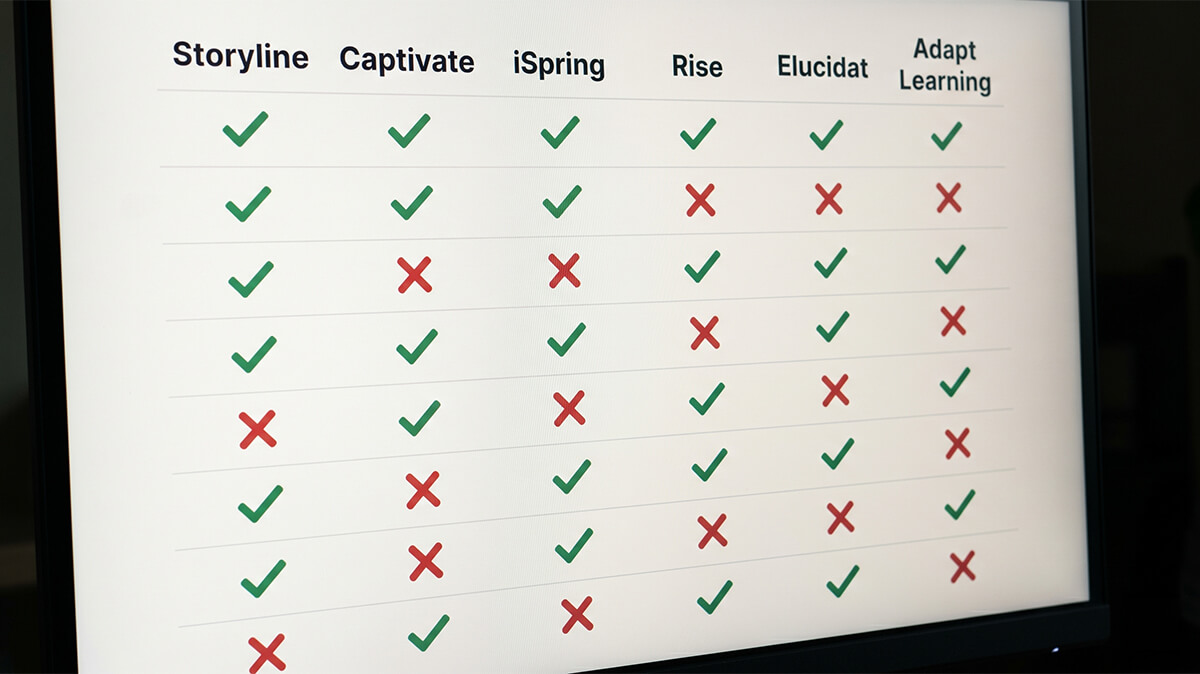
- Storyline has direct desktop-tool replacements (Captivate, iSpring, Lectora) with similar capabilities and different trade-offs. Rise has cloud-based alternatives (Elucidat, Gomo, Adapt Builder, Easygenerator) built for non-designers and business-side authors.
- Free and open-source options exist (Adapt Learning, H5P, slide-to-SCORM converters) but trade ease of use for price. They work for teams with developer capacity. They don't for teams trying to save on licenses.
- The option most buyers don't consider: don't switch tools. Hand the build to a productized service. The authoring tool becomes the vendor's problem and you get the finished SCORM package back.
- Tool pricing is usually a small fraction of total eLearning cost. Your team's time is the dominant expense. Switch tools to solve real workflow problems, not to save $500 a year.
You hit the limit of Articulate 360 at a specific moment. The subscription renews and you can't quite justify it. Storyline locks up a course you're trying to ship. A Rise course your team built two years ago needs the kind of customization Rise doesn't do. Whatever the trigger, the search starts the same way.
Most of the comparison content out there is published by other authoring-tool vendors, so the answer is always "switch tools." That's sometimes right. It's also a workflow decision dressed up as a software decision, and getting the diagnosis wrong wastes months.
This guide walks through the Articulate 360 alternatives that hold up in 2026: direct replacements for Storyline and Rise, the free and open-source options, and the option most buyers never consider until they're several frustrated months into the authoring-tool rabbit hole — skipping the tool decision altogether.
Why people actually look for Articulate alternatives
Most Articulate alternative searches come down to one of three underlying frustrations: price, learning curve, or output quality. Each points to a different fix, and not all of them involve a different tool.
Price
Articulate 360 is about $1,400 per seat per year. That's not cheap, especially multiplied across a team, and it goes up most years. If you only build two or three courses a year, that's a lot of overhead for tool access.
Tool pricing is almost never the biggest line item in your eLearning budget. Your team's time is. A $1,400 annual subscription is a rounding error compared to the 100+ hours of staff time each course actually consumes; our guide to eLearning development costs breaks down where that time goes. If price is your top complaint, the problem usually isn't the tool. It's the ratio of utilization to license cost, or the cost of building eLearning in-house at all.
Learning curve
Storyline, Captivate, and Lectora are professional-grade tools. They reward people who invest weeks or months learning them. They make life difficult for people who open them expecting to produce a polished course in an afternoon.
If your team is non-specialist, the learning curve shows up as missed deadlines and uneven output quality. Subject matter experts (SMEs) moonlighting as course builders, or a training coordinator asked to produce eLearning on top of other work, will struggle with Storyline-class tools. Alternatives like Rise, Elucidat, and Easygenerator trade some flexibility for dramatically lower learning curves.
Output quality ceiling
Sometimes you've invested in the tool, learned it, and the output still isn't what you wanted. Rise courses always look a bit like Rise courses. Storyline courses built by non-designers often look like Storyline defaults. That's usually a signal the tool isn't the bottleneck. Design capability is.
Switching tools rarely fixes output quality on its own. What does fix it is design capability, either built internally over time or rented externally through consultants, agencies, or done-for-you services.
Before you switch, diagnose the frustration: If price is the issue, the fix is probably outsourcing or utilization, not a cheaper tool. If learning curve is the issue, move to Rise-style tools or stop building in-house. If output quality is the issue, the tool isn't the problem. Switching tools to solve a design-capability gap is an expensive way to stay frustrated.
Direct alternatives to Storyline and Rise
Articulate 360 bundles two flagship tools: Storyline (technical, interactive courses) and Rise (cloud-based, block-based, SME-friendly courses). They target different users, and their alternatives are different too. Pricing figures throughout this section reflect verified list prices as of May 2026, and most vendors discount for multi-year deals or larger teams.
Storyline alternatives are desktop-based authoring tools with deep interactivity. Three are worth considering.
Adobe Captivate
Captivate is Storyline's most direct competitor and the cheapest of the desktop options, at around $400 per year for a single user. Similar capability profile, long history, and tight integration with other Adobe tools. The interface and workflow are less intuitive than Storyline's, which is the main reason most teams who try it end up back on Articulate. If you're already standardized on Adobe Creative Cloud, Captivate is a natural choice. If you're not, the switch usually isn't worth it for the price alone.
iSpring Suite
iSpring Suite is a PowerPoint plugin that turns slides into SCORM-packaged eLearning. Pricing is in Articulate territory, around $1,400 per year for Suite Max. It's a strong fit for teams that already live in PowerPoint and want eLearning that's roughly as easy to build as slides. Less flexible than Storyline for deeply interactive content.
Lectora
Lectora is the longest-lived tool in this space, with particular strengths in accessibility (Section 508, WCAG 2.1 AA). Subscriptions start around $1,500 per year. Favored by government, defense, and regulated industries that need airtight accessibility out of the box. The learning curve rivals Storyline's. Output is solid but visually less modern than newer tools.
Rise alternatives are cloud-based, mobile-responsive authoring tools built for non-designers. Four are worth considering.
Elucidat
Elucidat is often pitched as "enterprise Rise." Cloud-based, block-based authoring with more customization than Rise offers, and stronger team collaboration features. Team plans typically start above $10,000 per year. Good fit for mid-to-large organizations with multiple authors working in parallel.
Gomo
Gomo is another cloud-based responsive authoring tool, focused on global, multilingual teams and device-adaptive output. Strong choice if mobile-first is a real requirement rather than a check-the-box one. Pricing varies by team size and contract.
Adapt Builder
Adapt Builder is a paid front-end for the open-source Adapt framework. Cloud-based, mobile-responsive, SCORM-compliant. Cheaper than Elucidat or Gomo. Smaller user community and fewer third-party integrations than the majors.
Easygenerator
Easygenerator is built squarely for non-designer authors. SMEs build courses by filling in structured templates rather than designing slides. The trade-off is flexibility: the output looks competent, not custom. Pricing is mid-range. Good for distributed authoring across a business, where sales, operations, and HR each produce their own training without involving an instructional design team.
Free and open-source options
Free and open-source authoring tools exist (Adapt Learning, H5P, slide-to-SCORM converters), but they trade ease of use for price. The math only works when you already have technical staff who can install, maintain, and customize them.
Adapt Learning
Adapt Learning is the open-source framework Adapt Builder is built on. Responsive, SCORM-compliant, with an active developer community. Requires technical capacity to install, customize, and host. "Free" here means "pay in developer time instead of in licenses." Viable for teams with a front-end developer on staff who can debug output and handle hosting.
H5P
H5P is an open-source interactive content framework. Great for specific interactive elements (hotspots, drag-and-drop, branching questions) embedded inside a wider course or LMS. Less capable as a full-course authoring tool. Most teams pair H5P with a primary authoring tool rather than running it standalone.
Google Slides or PowerPoint plus an exporter
Some teams build courses in slides and use tools like iSpring Free or newer slide-to-SCORM converters to produce SCORM output. Fine for very simple courses with minimal interactivity. Not a long-term fit for anything that needs assessments, branching, or accessibility compliance you can defend in an audit.
Be cautious about free tools: Free is only actually cheap when you have internal technical capacity to run it. If you're considering a free authoring tool to save $1,400 on an Articulate license and your team doesn't have a developer who can debug the output, you'll spend more in staff time than the license would have cost. Know what you're buying when you buy free.
When skipping the authoring tool decision is the right call
You can skip the authoring tool decision entirely by handing the build to a productized eLearning service. The authoring tool becomes the vendor's problem. You pay per course instead of per seat per year, and you don't manage the tool at all.
This is the option missing from most "Articulate alternatives" comparisons, because the comparisons are usually published by authoring-tool vendors. It's also the option a buyer reframing the search would find quickly: instead of "best Articulate alternative," something more like "best way to clear the eLearning we haven't built yet." Our guide to outsourcing eLearning development walks through that decision in full.
Express eLearning by Neovation is a productized eLearning development service that delivers a professional, SCORM-compliant course in approximately 10 business days for $1,999. Up to 1 hour of seat time, up to 3 modules per course. The full build happens with Neovation's instructional designers, including design, development, QA, WCAG 2.1 AA accessibility review, and SCORM 1.2 or 2004 packaging. You get clean HTML5/JS source files at delivery, which means no authoring tool is required to open or update the course later.
Whether this replaces an authoring tool depends on volume. Fifteen courses a year with a Storyline-fluent team? Keep the subscription. Two or three courses a year with a team that's been struggling with the tool? Outsourcing usually wins, sometimes by a wide margin.
Run the math on your own situation: Three courses per year outsourced at $1,999 each = $5,997. One Articulate seat at $1,400 per year plus 100 hours of staff time per course at a loaded $100 per hour = $31,400. The break-even shifts with your volume and internal rates, but the gap is almost never what you'd guess on instinct. If you want to plug in your own numbers, our pricing calculator walks through the same math.
How to pick
Three questions narrow the choice: who's going to build the courses, how many courses you need per year, and what's actually frustrating you about Articulate. Each answer points to a different category of tool, or to no tool at all.
Who's going to use the tool?
The right answer depends on who's doing the building.
- Specialist eLearning developers: Storyline, Captivate, and Lectora all work. Pick based on team familiarity and specific features.
- Generalists or subject matter experts with limited eLearning background: Rise, Easygenerator, or Elucidat. Lower learning curve matters more than deep capability.
- Nobody on your team, because you plan to outsource: Skip the tool decision entirely and pick a vendor.
How many courses per year?
Volume changes the math.
- Under 5 courses a year: License math often doesn't work. Productized services (per-course pricing) often win.
- 5 to 20: Authoring tools are usually cheaper per course, assuming you have capable users. Team size determines which tool fits.
- Over 20: You're a production shop, and tool selection matters a lot. Pick on capability, team productivity, and feature fit. Headline price matters less at scale.
What are you actually frustrated with?
The fix depends on the diagnosis.
- Price: The problem may not be the tool. Re-check utilization first.
- Learning curve: The alternatives are Rise-style tools, or stopping in-house builds altogether.
- Output quality: Usually a design-capability gap, not a tool gap. Tool-switching doesn't fix this on its own.
If you do decide to switch
Authoring tool switches take 3 to 6 months to recoup productivity, source files don't migrate, and most vendors will renegotiate when you bring a competing quote. Plan for all three.
A team fluent in Storyline will be slower in Captivate for the first three to six months. Don't plan a major course launch in month two of a tool migration. You also can't migrate source files: Storyline files don't import into Captivate, Rise files don't import into Elucidat, and any existing courses you want to update will need to be rebuilt. Plan and budget for the rebuild cost separately.
Before you commit to a new tool, build one test course, export it, and confirm it plays correctly in your production LMS. Boring but important. And before you sign anything, get a quote from your new vendor and bring it to your current one. Authoring-tool vendors discount for multi-year contracts and larger team sizes; enterprise deals are often 20 to 40% below list. The cleanest outcome of a switching evaluation is sometimes a better Articulate deal, not a switch.
When Express eLearning is the right call
Express eLearning works for teams that have content and need a finished course faster than an internal build can deliver. The fit is best when the source material exists (a policy document, an SOP, a deck, or a clear topic outline), the training is built on well-established subject matter, and a fixed price and timeline matter more than deep stakeholder workshopping. Most of the projects we take on look exactly like that: backlog clearance that's been waiting for someone with the bandwidth.
When Express isn't the right call, the alternatives we'd point you to are clear. Complex branching simulations, custom voiceover, original illustration, advanced gamification, or projects with multiple stakeholder review cycles belong in Neovation Custom Learning or another full-service agency. Pure internal builds with a Storyline-fluent team and steady production cadence are usually fine staying with Articulate. If you need strategic partnership more than throughput, a solo instructional design consultant or boutique agency is often the right call, and our breakdown of productized vs. traditional service packages lays out the landscape if you're still mapping the choices. If Express does look like a fit, send us your content and we'll get a course back to you in roughly two weeks.
Frequently Asked Questions
The credible alternatives in 2026 depend on what you're actually replacing. Storyline replacements include Adobe Captivate, iSpring Suite, and Lectora. Rise replacements include Elucidat, Gomo, Adapt Builder, and Easygenerator. There's also the not-an-authoring-tool option: productized services like Express eLearning by Neovation, where you hand off content and receive a finished SCORM package. There's no single best alternative; the right one depends on your project's complexity, your team's skill level, and whether you need to produce the course yourself at all.
A few exist. Adapt Learning is open-source and SCORM-compliant. H5P is good for embedded interactive elements rather than full courses. Some teams build in PowerPoint or Google Slides and use a slide-to-SCORM exporter for simple output. All of them trade ease of use and support for price. Most organizations that try a free authoring tool spend more in staff time learning and troubleshooting than an Articulate license would have cost.
Articulate 360 is about $1,400 per seat per year, iSpring Suite is similar, Adobe Captivate runs around $400 per year for a single license, and Lectora subscriptions start around $1,500 per year. Cloud-based tools like Elucidat and Gomo tend to run higher, especially for team plans. The bigger point: tool pricing is usually a small fraction of total eLearning cost, so don't switch just to save $500 a year.
Only if you or your team are going to build the course yourselves. If you're working with a vendor, consultant, or done-for-you service, the tool is the vendor's problem. The cleanest way out of authoring-tool frustration is sometimes to outsource the build rather than switch tools.
"Non-designer-friendly" authoring was set by Rise 360. Its closest competitors are Elucidat, Gomo, and Easygenerator. All of them let subject matter experts build reasonably professional-looking courses without deep development skills. Storyline, Captivate, and Lectora are more powerful but have steeper learning curves.
Express eLearning is a service, not a tool. You send your source content (a document, deck, SOP, or topic outline) and get back a finished SCORM-compliant course in approximately 10 business days for $1,999. There's no software to learn, no per-seat license, and the source files are yours at delivery. The tool decision becomes irrelevant because there's no tool for you to pick.
Related resources

Rapid eLearning development: how the conversion model works
How structured source content becomes a deployable SCORM course in about 10 business days.

How to digitize corporate training without losing what works
Decide what to convert, rebuild, or retire when modernizing legacy training.

How to convert a PowerPoint into a SCORM-compliant course
The five steps real PowerPoint-to-SCORM conversion takes, and where to hand it off.