Key takeaways
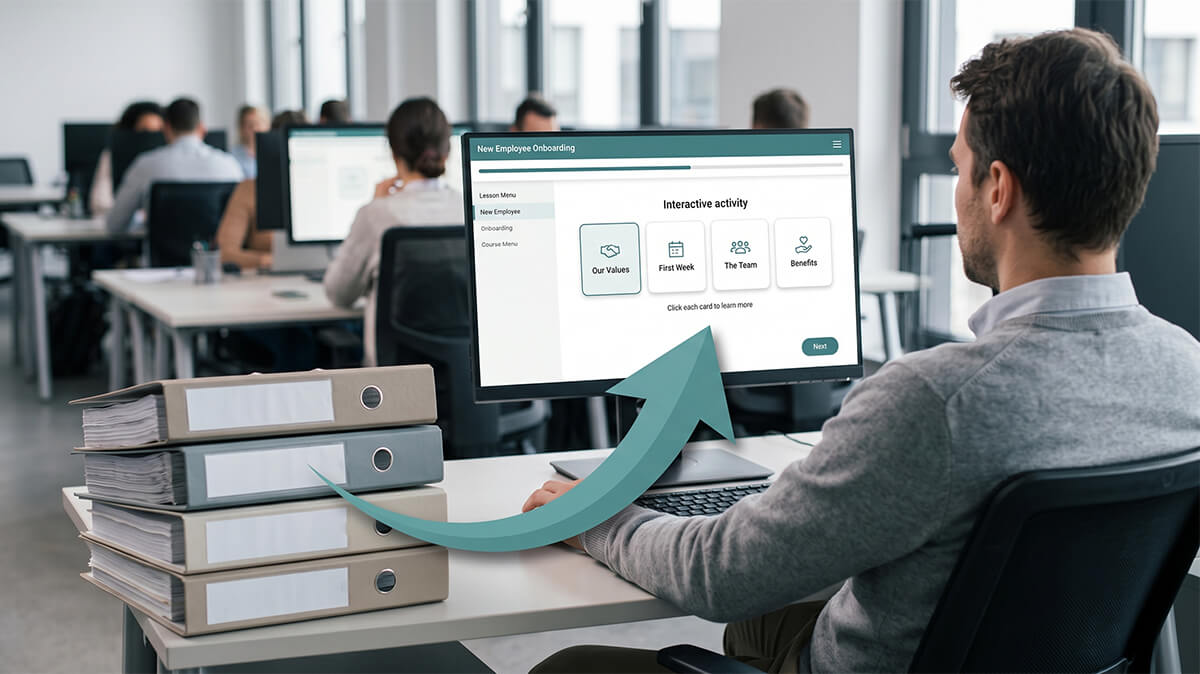
- Digitizing corporate training is a format change, not a content rebuild. The expertise in your old materials is the part worth keeping.
- Sort every legacy asset into convert, rebuild, or retire before the work starts. Most accurate, still-used material only needs its format updated.
- Prioritize by usage and risk. Compliance, safety, and onboarding content that people actually use moves first; low-use material can often wait or stay where it is.
- Rushed conversions lose the reasoning behind the rules. Capture why a step exists, not just the step, or you keep the slide and lose the training.
- A productized conversion like Express eLearning runs $1,999 per course and delivers in approximately 10 business days, far below the cost of a fully custom rebuild.
When you set out to digitize corporate training that's been sitting untouched for years, you're usually staring at the same pile. PowerPoint decks from a workshop nobody runs anymore. A PDF manual new hires are told to "read through." A recorded webinar from three reorganizations ago. The content is mostly still right. The format is what's failing you.
The default move is to rebuild everything as new custom courses. That's legitimate work, but it's also the most expensive path, and for a lot of legacy material it's more than the content needs. So the project gets priced, the number comes back high, and the modernization stalls while the material keeps aging on the shared drive.
This article is about the path between those two extremes: leaving it untouched and rebuilding everything from scratch. I'll cover which materials are worth converting, which genuinely need a rebuild, and which you can quietly retire, then how to sequence the work so the right courses move first, and the one mistake that wrecks rushed conversions.
What does it mean to digitize corporate training?
Digitizing corporate training means moving existing training content out of static or in-person formats and into structured, trackable online courses, without rebuilding the underlying expertise from scratch. The content already exists. What changes is the delivery.
That distinction matters more than it sounds. A slide deck is a format. So is a PDF. So is a day-long workshop. The actual training is the content underneath: the sequence an expert worked out over time, and the judgment baked in about what matters and what to skip. Most of it is worth keeping. Digitization is the work of separating the two: keeping the expertise, replacing the wrapper.
This is also where digitizing diverges from a full custom build. Rapid eLearning methods take proven material and rebuild the format around it; a from-scratch project assumes you're still designing the training itself. If your content is already solid, you're doing conversion, and you shouldn't pay for design you don't need.
Which materials should you convert, and which should you rebuild?
Convert material when the content is accurate and still in use and only the format is dated. Rebuild it when the information has changed, or when the original depended on something a screen can't reproduce. Retire anything nobody opens. Most legacy libraries lean more toward "convert" than people expect, which is good news for the budget.
The fastest way to sort a backlog is to run each item through three buckets:
| Material | What to do | The signal that points here |
|---|---|---|
| Accurate content people still use, like current standard operating procedures (SOPs), policy explainers, and product training that hasn't changed | Convert | The information is right and still in demand. Only the format is dated. |
| Content that has drifted out of date, or that leaned on a live classroom (sessions built around discussion, facilitation, or hands-on practice) | Rebuild | The facts have changed, or the learning depended on a room you can't put on a screen. |
| Material nobody opens, duplicates of newer content, or training tied to a process you have since retired | Retire | Low or no usage, redundant, or attached to a workflow that no longer exists. |
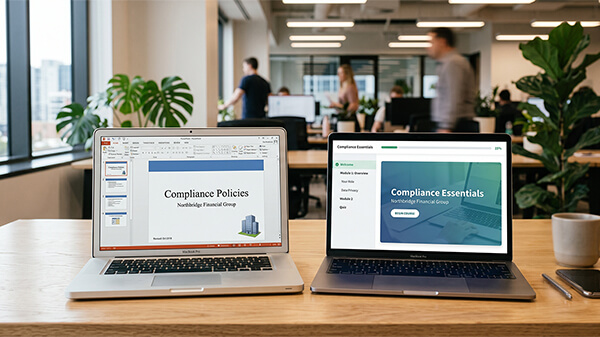
Two judgment calls are worth naming. Instructor-led training (ILT) rarely converts one to one, because much of what made the classroom work doesn't survive self-paced delivery: the live discussion, and an instructor who could read the room and adjust. The slides may convert, but the experience itself needs redesigning. PowerPoint is the other one. Going from PowerPoint to eLearning is the most common conversion there is, and the easiest to do badly. Turning a single deck into a SCORM course means rebuilding it for structure, interaction, and tracking. Exporting slides to a web player doesn't get you there.
Recorded webinars and videos are their own case. The content may be fine, but an hour of someone talking at a camera isn't a course; converting it usually means pulling the key points into something interactive and skippable, so a learner can find what they need instead of scrubbing a timeline.
The common mistake runs in both directions. Some teams convert everything, including outdated material that should have been retired, and end up with polished versions of courses nobody needed. Others rebuild everything from caution and spend the budget on content that was already fine. Sorting first is what keeps you out of both holes.
How do you decide what to digitize first?
Digitize first what's used most and costs you most when it's wrong. That usually means compliance, safety, and onboarding content: high-traffic material where an out-of-date or inaccessible course creates real exposure. Lower-traffic, lower-risk material can wait, and some of it never needs to move at all.
Three factors set the order:
- Usage: How many people take this, and how often? A course three teams complete every quarter earns priority over one a handful of people opened last year.
- Risk: What does it cost you when the content is wrong, missing, or fails an audit? Regulatory and safety topics carry the most exposure.
- Shelf-life: How stable is the content? Material that changes every few months may need a different approach than a process that's held steady for a decade.
One thing overrides the sort: a hard deadline. An upcoming audit, a new regulation, or a system migration with a fixed date jumps a course to the front regardless of usage, because a missed compliance date costs more than any prioritization rule.
A two-minute triage: List your legacy courses and score each one high or low on usage and on risk. High-use and high-risk goes to the front of the line. Low-use and low-risk goes to the back, or off the list entirely. You'll often find the "modernize everything" mandate is really a "modernize these six" project once the low-value material drops out.
What gets lost in a rushed digitization, and how do you prevent it?
What gets lost in a rushed digitization is the reasoning behind the content, the part that lives in the expert's head rather than on the slide. A fast conversion copies what's written down. It rarely captures why the steps are in that order, which edge cases matter, or what the original instructor said out loud when someone asked the obvious question. Lose that, and you've digitized the words but not the training.
This is the practical case for treating your existing material as the starting point. The subject matter expert (SME) who built the original course encoded years of judgment into it. The goal of conversion is to carry that judgment across, not to flatten it into a tidier-looking version of the same slides. Accessibility and structure get lost the same way: a rushed job preserves the look of the old material instead of fixing the parts that never worked well on a screen.
Before you convert, capture the why: A slide reads, "Submit the incident report within 24 hours." The expert who wrote it knows the 24 hours comes from a regulatory clock, and knows what happens if you miss it. Convert the slide and you keep the rule. Ask the expert one more question and you keep the reasoning, which is the part learners actually need.
The fix is small. A short, structured pass over the source material before the build starts, with whoever owns the content, surfaces the context that never made it onto the page. When source material is messy or scattered, that pass is where most of the real work happens.
How long does it take and what does it cost to digitize a course?
A single course conversion might take a few days or a few months, and cost anywhere from a couple thousand dollars to tens of thousands. What decides it is whether you're genuinely converting or quietly rebuilding, and how much cleanup the source material needs. Accurate, well-organized content converts fast. Messy or outdated material costs more, because someone has to fix the content before the format work can start. We break down what conversion typically costs in more detail, but the short version is that scope and source quality drive the number.
For straightforward conversions, a fixed-scope productized service removes most of that uncertainty. Express eLearning by Neovation was built for exactly this kind of conversion: you send proven source material, and a team turns it into a finished course on a set price and timeline.
Express eLearning by Neovation is a productized eLearning development service that delivers a professional, SCORM-compliant course in approximately 10 business days for $1,999. That price covers a complete conversion: instructional design, development, quality assurance (QA), a WCAG 2.1 AA accessibility review, SCORM 1.2 or SCORM 2004 packaging, and clean HTML5/JS source files you own outright.
It fits one course of up to three modules and up to an hour of seat time, which is the right size for most individual SOPs, policy courses, and onboarding modules. It isn't built for a ground-up custom project with branching simulations or custom voiceover; that's a different tier of work.
A note on source material: it's in good shape when it's current, complete, and organized enough that someone could follow it without you in the room. If three people would each explain the process differently, that's a content problem to settle before any conversion starts. If your source material is the messy kind, scattered across decks, documents, and someone's memory, the Content Structuring Session exists for exactly that. It's a working session to organize and sequence the content before the build begins, and for legacy material it's often the difference between a clean conversion and a frustrating one.
How Express eLearning handles legacy conversion
Express eLearning is built for the work in the convert bucket: an existing standard operating procedure, policy, or onboarding course that needs to become a professional, trackable online course without a custom-build budget. You send the source material, our instructional designers and developers structure and build it, and you get a SCORM-ready course in about 10 business days for a flat $1,999, with the source files in your hands at the end. For legacy material that needs organizing first, the Content Structuring Session handles that step before the build.
If your project belongs in the rebuild bucket instead — a behavior-change program, a certification with branching scenarios, anything that needs a ground-up redesign — that's work for a fully custom partner like Neovation Custom Learning, and it's worth the investment when the stakes call for it. If you only have a course or two and the in-house time to learn an authoring tool, doing it yourself is a reasonable option too. When the project fits the convert bucket and you'd rather have it done right and done fast, send us the content and we'll scope it with you.
Frequently Asked Questions
Converting a PowerPoint into an interactive eLearning module means rebuilding the deck as a structured course, not just uploading the slides. A real conversion adds navigation, knowledge checks or other interactions, and SCORM packaging so your LMS can track completion. The slides give you a starting outline, but the instructional design work is what turns them into something people learn from. Plan for content cleanup too, since slides often assume a presenter filling in the gaps out loud.
It depends almost entirely on scope and the condition of your source material. A single, well-organized course can be converted for a couple thousand dollars, while a large or messy program rebuilt from scratch can run into the tens of thousands. A productized conversion service like Express eLearning charges a flat $1,999 per course for straightforward conversions delivered in approximately 10 business days, which takes the estimating guesswork out for material that's already in good shape.
Convert it when the content is still accurate and people still use it, and only the format is outdated. Rebuild it when the information has changed, or when the original training relied on a live classroom that doesn't translate to self-paced learning. Most legacy libraries have more convert-ready material than teams assume, so it's worth sorting course by course before defaulting to a full rebuild.
Legacy training modernization is the process of updating older training, like classroom decks, printed manuals, and recorded sessions, into current digital formats that work on today's devices and platforms. Done well, it preserves the expertise already built into the material and changes the delivery rather than starting the content over. In practice it comes down to three decisions: what to convert, what to rebuild, and what to retire.
No. Modern conversion workflows often use software, including AI-assisted tools, to work efficiently, but the instructional design and quality checks are done by people. With Express eLearning, every course is designed by instructional designers and reviewed by a quality assurance team before delivery. Tools speed up production; they don't replace the expertise that makes training effective.
Related resources

Rapid eLearning development: how the conversion model works
How structured source content becomes a deployable SCORM course in about 10 business days.
How to convert a PowerPoint into a SCORM-compliant course
The five steps real PowerPoint-to-SCORM conversion takes, and where to hand it off.

How much does eLearning cost in 2026?
Why eLearning quotes vary 10x, what drives the spread, and how to budget by role.