Key takeaways
- Express eLearning by Neovation converts a PowerPoint into a professional, SCORM-compliant course for a flat $1,999, delivered in approximately 10 business days.
- Converting a deck into a SCORM course is a redesign, not an export. The content gets restructured for learning, interaction and a scored assessment get built in, and the result is packaged so it can report back to your LMS.
- SCORM (Sharable Content Object Reference Model) is what lets a course report completion, score, and time to a learning management system. A raw PowerPoint file can't do that.
- Professional conversion runs five steps: rebuild the content, add interaction and assessment, review for WCAG 2.1 AA accessibility, package as SCORM 1.2 or SCORM 2004, and test in the LMS.
- You own the finished course outright as HTML5/JS source files, with the accessibility review and SCORM packaging included.
You have a slide deck, an LMS that needs to track completion, and a deadline. So you try to convert the PowerPoint into a SCORM-compliant course the fast way: export it, upload it, done. Then the LMS won't record who finished or how they scored, and what you uploaded still reads like slides on a screen.
I hear this often from L&D managers and HR teams who need one trackable course in the system without becoming eLearning developers. The short version: you can get there, but it's a redesign, not a file export. Below is what the work involves, what "SCORM-compliant" actually means, what it costs, and when it's worth handing off.
Can you convert a PowerPoint into a SCORM-compliant course?
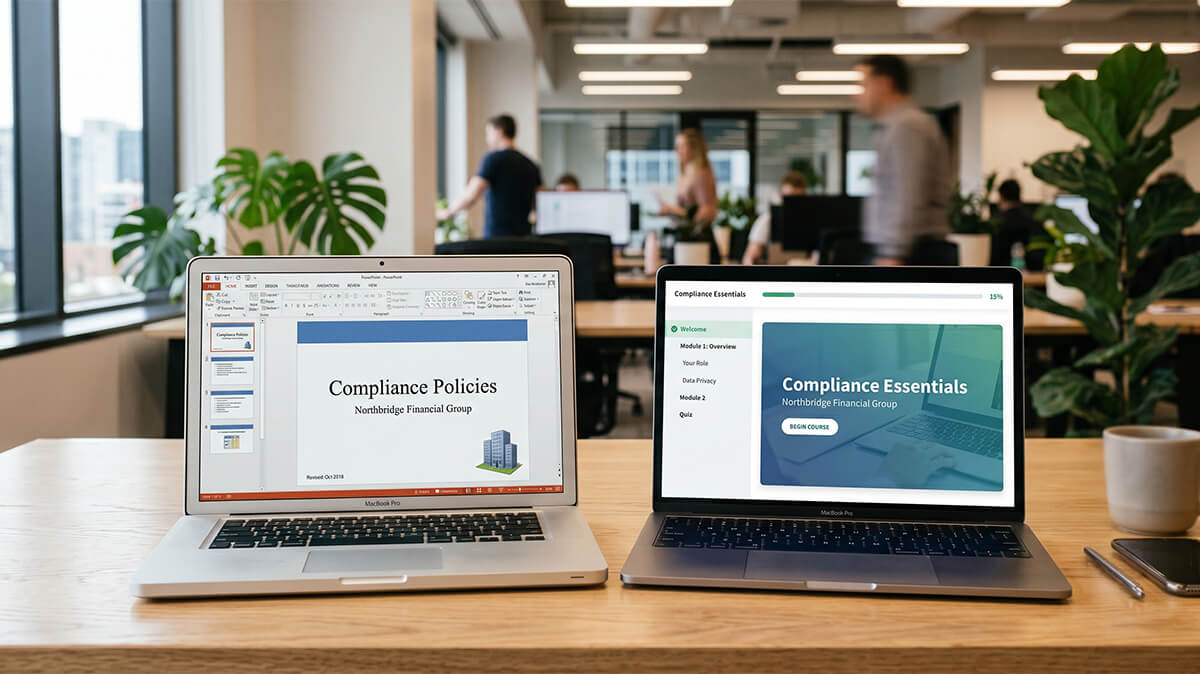
Yes, you can. The honest caveat is that real conversion means rebuilding the deck as a course, not just changing its file format. A slide deck is built to support a presenter in the room. A course has to work without you there: hold a learner's attention on its own, check whether they actually understood it, and report the result to your LMS.
That gap is the whole job. The slides you already have are useful raw material, with the content, the sequence, and the examples already worked out. What they're missing is everything that turns content into a course: structure designed for self-paced learning, interaction that gives people something to do, an assessment that measures whether the objective was met, and a package the LMS can read. A slide deck isn't a course. It's the content a course is built from.
The upload test: Open your LMS and ask what you want it to tell you after someone takes this training. If the answer includes who completed it, what they scored, or how long it took, a raw PowerPoint won't get you there. A SCORM package will.
What does "SCORM-compliant" actually mean?
SCORM-compliant means a course is packaged to communicate with a learning management system using SCORM (Sharable Content Object Reference Model), a set of technical standards maintained by Advanced Distributed Learning (ADL). In plainer terms, SCORM is how your course talks to your LMS.
When a learner opens a SCORM course, the package and the LMS exchange data in the background, which is how the system knows the course was completed and how the learner did. Upload a bare PDF or slideshow instead and the LMS can display the file, but it can't see what happened inside it.
There are two versions you'll come across. SCORM 1.2, released in 2001, is the older standard and still the most widely supported across learning management systems. SCORM 2004 adds sequencing rules and more detailed reporting on pass/fail status and score. Most platforms accept both, so a good conversion targets whichever version your LMS handles best.
What SCORM reports to your LMS: completion status, pass or fail, score, time spent, and a bookmark so learners can resume where they stopped. A raw slide file reports none of it.
If you want the deeper technical and accessibility picture, our Guide to what SCORM and WCAG compliance require covers both standards in detail.
What's involved in converting a PowerPoint to a SCORM course?
Converting a PowerPoint to a SCORM course takes five steps: rebuild the content, add interaction and assessment, review for accessibility, package it as SCORM, and test it in your LMS. The packaging is the easy part. The first two steps are where a deck actually becomes a course.
- Rebuild the content for self-paced learning: pull the substance out of the slides and structure it around what the learner needs to be able to do. Presentation slides compress a lot into bullet points the presenter fills in out loud. A self-paced learner doesn't have that narration, so the material has to be rewritten to carry itself and chunked into modules a person can work through alone.
- Add interaction and a real assessment: build in something for the learner to do, plus a scored assessment that measures whether the objective was met. Knowledge checks through the module keep people engaged and give them practice; the final assessment is what the LMS records as a pass or fail. This is the step that separates a course from a digital handout.
- Review the course for accessibility: check it against WCAG 2.1 AA so it works for people using a keyboard, a screen reader, or captions. That means readable color contrast, text alternatives for images, labels a screen reader can announce, and full keyboard navigation. Building accessibility in from the start is far cheaper than retrofitting it after the course is finished.
- Package it as SCORM: export the finished course as a SCORM 1.2 or SCORM 2004 package, with the manifest that tells the LMS how to launch it and what to track. This is the step most people picture when they think "conversion," and it's the quickest part of the job once the design work is done.
- Test it in your LMS: upload the package to the system it will actually live in and confirm it launches, tracks completion and score, and resumes correctly. SCORM can behave differently from one platform to the next, so a course that works in a preview window isn't proven until it tracks in your LMS.
Why doesn't exporting a deck from an authoring tool give you a real course?
Because exporting only packages what you built. It doesn't supply the design you didn't. Drag-and-drop tools like Rise or Storyline can publish straight to SCORM, so the technical output is genuine. What a publish button can't do is add instructional structure, write a meaningful assessment, make the course accessible, or decide what the learner actually needs. Those are design decisions, and exporting a deck preserves the slides without supplying any of them.
Here's how exporting a deck compares to a professional conversion:
| Export the deck yourself | Professional conversion | |
|---|---|---|
| Instructional structure | Slides stay slides | Content rebuilt for how people learn |
| Interaction and assessment | Click to advance, maybe a quiz template | Knowledge checks plus a scored assessment tied to the objective |
| Accessibility (WCAG 2.1 AA) | Not handled by the export | Reviewed and remediated |
| SCORM packaging | Whatever the tool publishes | Packaged and tested as SCORM 1.2 or SCORM 2004 |
| Source files | Locked in the tool's format | Client-owned HTML5/JS |
None of this means you can't do it in-house. If you have an instructional designer and the time, the authoring tools are capable. The catch is that the tool gives you a canvas; the design work, the writing, and the testing are still yours to do.
What does it cost to convert a PowerPoint to SCORM?
Professional PowerPoint-to-SCORM conversion ranges widely in price, from a bare template job at the low end to fully custom development that can cost many times more per finished hour. Express eLearning sits in the middle as a productized service: one course converted for a flat $1,999, delivered in approximately 10 business days.
Express eLearning by Neovation is a productized eLearning development service that delivers a professional, SCORM-compliant course in approximately 10 business days for $1,999.
For that price, you get one course of up to three modules and up to an hour of seat time. The work includes:
- Instructional design and development: your content rebuilt as a structured, self-paced course.
- A scored assessment and knowledge checks: so the LMS records real results, including who passed.
- A WCAG 2.1 AA accessibility review: built in, not billed as an add-on.
- SCORM 1.2 or SCORM 2004 packaging: tested so it tracks correctly in your LMS.
- Client-owned HTML5/JS source files: the finished course is yours to keep, host, and move between systems.
A few things sit outside that scope, including custom voiceover, original illustration, branching scenarios with real consequences, and heavy gamification. Those belong to fully custom development, and I'll point to where in a moment.
How Express eLearning handles a deck-to-SCORM project
Send the deck and any supporting material, and the team rebuilds it as a structured, accessible, SCORM-compliant course, then tests it in a live LMS before delivery. You get a fixed price, a fixed scope, and a delivery date you can plan around, which is usually the part that's been missing when a conversion has stalled. The same instructional designers and developers behind Neovation's premium work build it, and you walk away owning the source files.
If your project is bigger or more complicated than that, Express eLearning isn't the right tool, and I'd rather say so. A whole library of legacy material to modernize is a different kind of project, and our Guide to rapid eLearning conversion methods covers that broader work. Courses that need branching simulations with real consequences or fully custom interaction belong with Neovation Custom Learning. But if you have a deck, an LMS, and a course that just needs to get built and tracked, that is exactly what Express eLearning is for. Send us your slides and we'll quote your course.
Frequently Asked Questions
You can upload a PowerPoint or PDF as a file, and the LMS will display it, but it won't track completion, score, or time the way a SCORM package does. If all you need is a downloadable handout, a raw file works. To record who completed the training and how they did, the deck has to be converted into a SCORM-compliant course first.
SCORM 1.2, released in 2001, is the older and most widely supported version, and it handles core tracking like completion and score well. SCORM 2004 adds sequencing rules and more detailed reporting on pass/fail status and scoring. Most learning management systems support both, so the right choice usually comes down to what your specific LMS handles best.
With Express eLearning, a single course is delivered in approximately 10 business days from the point the team has your content. The biggest variable is how ready that source material is, so having the deck and any supporting documents on hand speeds things up. Timelines elsewhere vary depending on whether you build it in-house, use a freelancer, or commission fully custom development.
Not from scratch. The content in your slides is the starting point, and a good conversion keeps the substance, sequence, and examples you already have. What changes is the structure and delivery: the material is rebuilt to work for a self-paced learner, interaction and a scored assessment are added, and the course is packaged so the LMS can track it. You keep the knowledge and replace the format.
Express eLearning uses modern tools, including AI-assisted workflows, to work efficiently, but every course is designed by instructional designers and quality-checked by the team before delivery. AI helps with speed; it doesn't make the instructional decisions, write the assessment, or verify accessibility. The result is a course a person designed.
Related resources

Rapid eLearning development: how the conversion model works
How structured source content becomes a deployable SCORM course in about 10 business days.
How to digitize corporate training without losing what works
Decide what to convert, rebuild, or retire when modernizing legacy training.

SCORM compliant courses: what the standards actually require
What SCORM and WCAG compliance mean, what it costs, and how to vet vendor claims.